

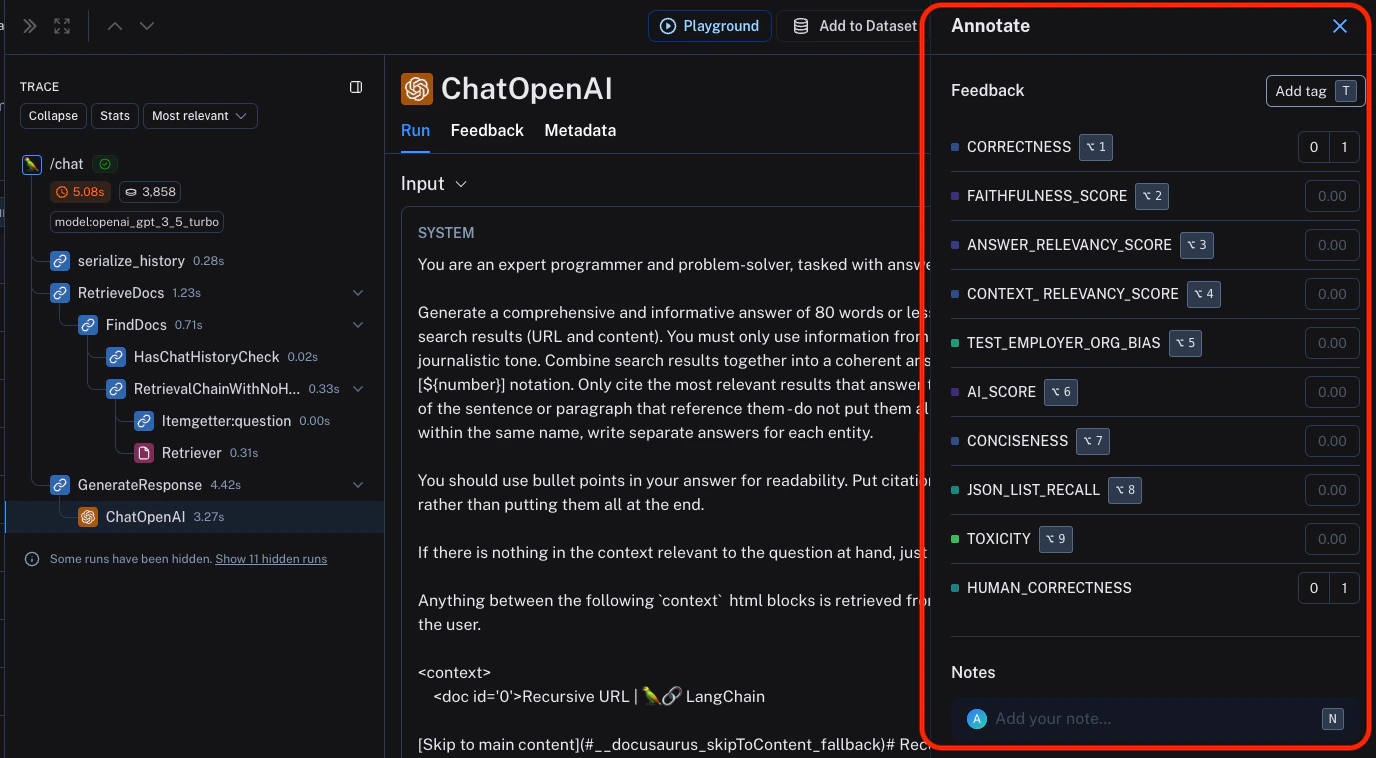
You can attach user feedback to ANY intermediate run (span) of the trace, not just the root span.This is useful for critiquing specific parts of the LLM application, such as the retrieval step or generation step of the RAG pipeline.
...) in the trace view for any particular run that is part of the trace, then click Notes.
This will open up a pane that allows you to choose from feedback tags associated with your workspace and add a score for particular tags. You can also add a standalone comment. Follow Set up feedback criteria to set up feedback tags for your workspace.
You can also set up new feedback criteria from within the pane itself.
Connect these docs to Claude, VSCode, and more via MCP for real-time answers.